A LITTLE LESS MENTAL CLUTTER

A lighter list.
A better today.

The things you need to do. The plans you share. A little space to get on with your day.

For iPhone & iPad. An active subscription is required.

Made for everyday momentum.
And the people you make plans with.

Today, in focus.
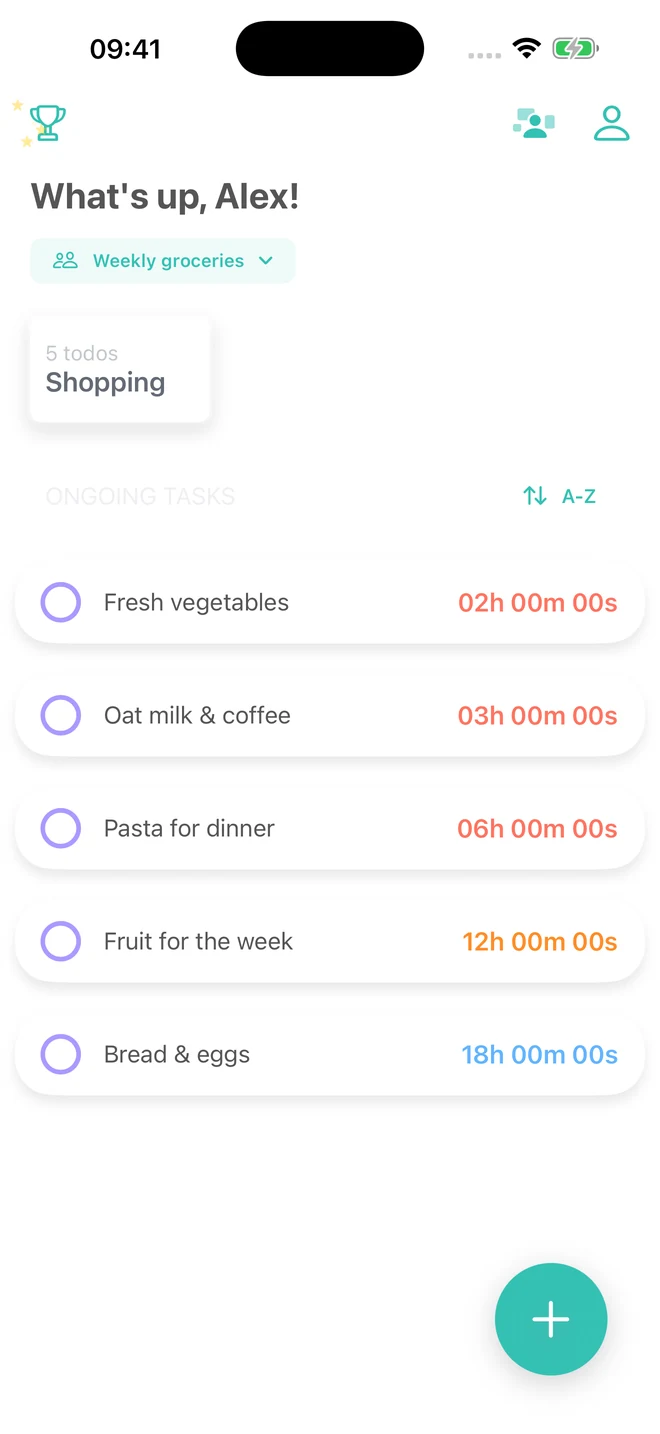
RushList's Weekly groceries shared list, with groceries and their countdowns
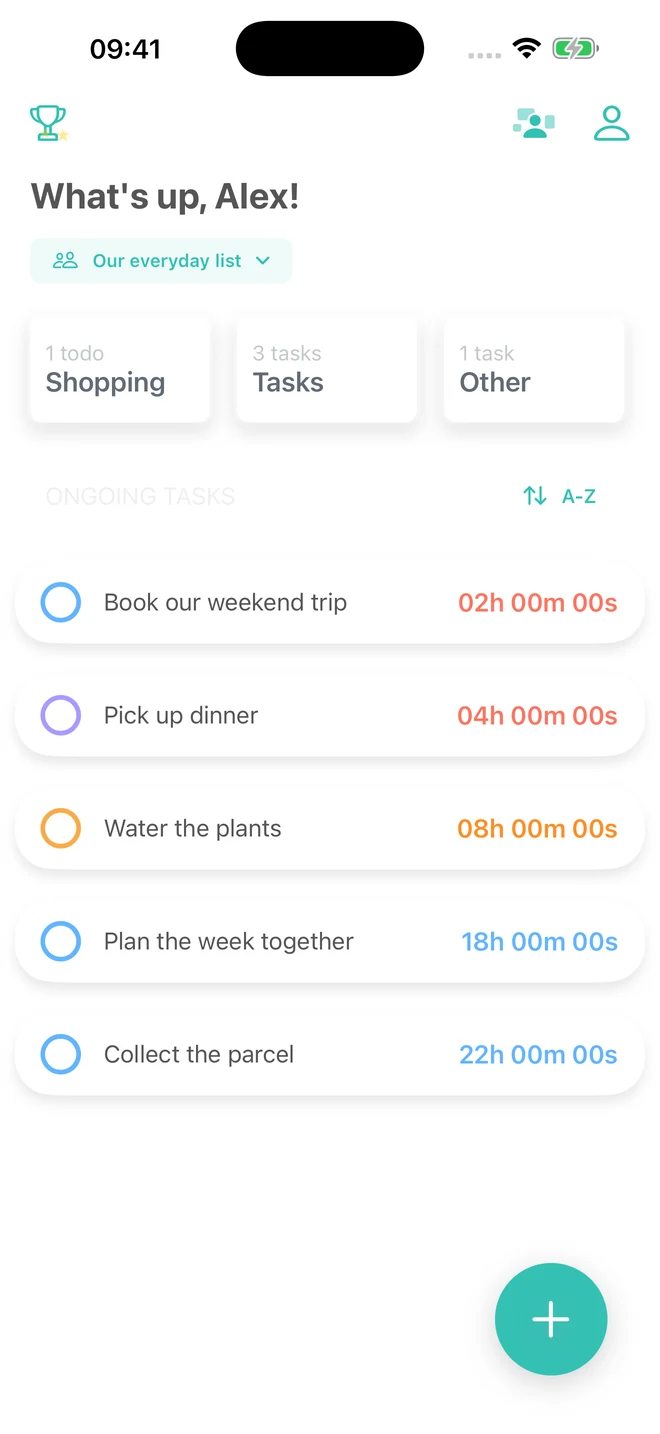
A shared everyday list in RushList, with time remaining beside each task
A little teamwork.
A little more done.
ACTUAL APP SCREENS · EXAMPLE CONTENT

Focus on today

Tasks

Plan it together

Shopping

Make it your own

Other

SOUND LIKE YOUR DAY?

An errand on the way home.
A task for later.
A plan you're making together.

Life arrives a little at a time. Give those little things a place to land, so you can give today your attention.

ONE DAY. A LITTLE LIGHTER.

From “I should”
to “we did.”

Follow the everyday story.
Keep what helps. Make it your own.

01 / MAKE SPACE FOR TODAY

Private tasks with countdown timers in RushList

Real app screens with fictional example data.

01 YOUR DAY

Start with today.
Let the rest breathe.

Write down what matters. A task countdown makes the time you have visible, so “I'll do it later” has a little less room to hide.

  • 24-hour expiration by default
  • Custom timing or no expiration
  • A separate place for personal to-dos
One presentation. One errand. One thing at a time.
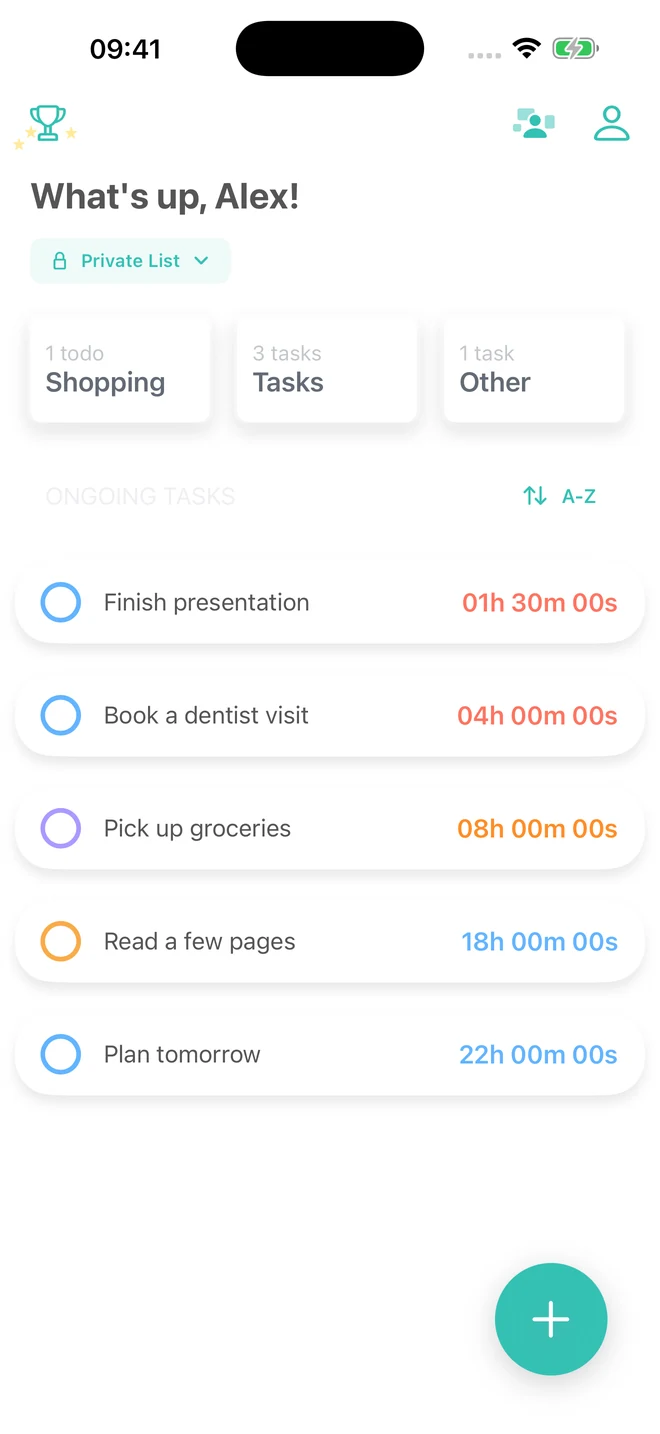
Private tasks with a countdown for each item

02 YOUR PEOPLE

Some plans are
better shared.

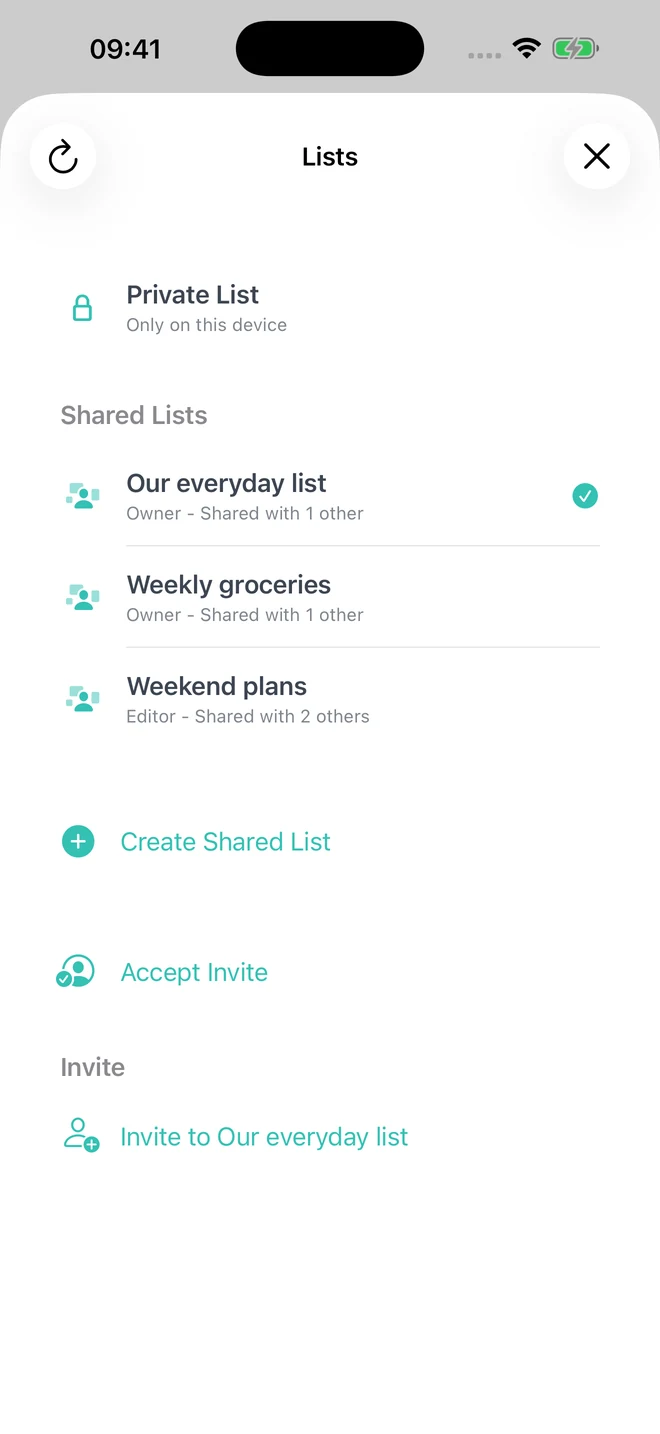
The weekend trip. Jobs around the house. The little things you both need to remember. Give them a shared list, then invite your person in.

  • Create more than one shared list
  • Invite someone with a link or code
  • Keep your private list separate

Shared lists use Sign in with Apple and an internet connection. Changes sync while you use the app.

RushList list picker with private and shared lists, Create Shared List, and Accept Invite

03 THE WAY HOME

“What do we need?”
It's on the list.

Give the dinner ingredients, the coffee, and the things you always forget a shared home. One grocery run starts with the same list.

  • A shared list just for groceries
  • Shopping, Tasks, and Other categories
  • Quick filters to find what you need
Less remembering. More getting on with it.
Weekly groceries shared shopping list in RushList

04 THE LITTLE WINS

Look at what
you did.

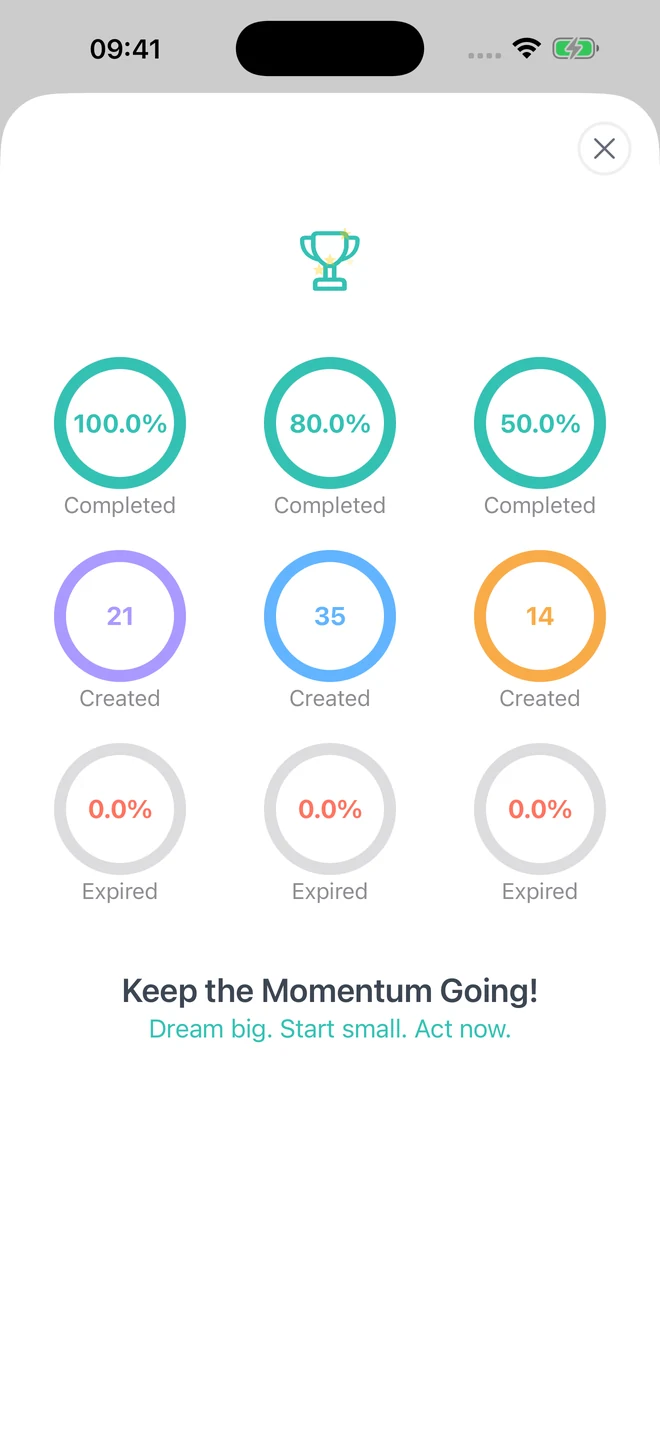
It's easy to see what's left. Take a moment to see what you've finished, too. Your history and progress statistics give the small wins a place to count.

  • Created, completed, and expired items
  • Progress across your categories
  • History you can look back on
Progress doesn't have to be a big thing.
RushList category progress statistics

A NUDGE. ON YOUR TERMS.

A little structure.
Room to be you.

A daily list should fit your day. Set a different expiration time, keep an item without a deadline, and choose reminder times that work for you.

Completed and expired items move into history.
You're making room, without overlooking the journey.

EXPLORE YOUR TIMING OPTIONS
24h

A fresh focus for today

The default: give each new item a 24-hour window.

An illustration of the settings available in the app.

BEFORE YOU MAKE A LIST

A few
little answers.

Something else on your mind?
Do I have to share my list?

No. Your private list stays separate from the shared lists you choose to create or join. You only need Sign in with Apple for account-backed sharing.

What happens after 24 hours?

By default, an unfinished item expires after 24 hours and moves out of your active list into history. You can enable custom expiration times or turn expiration off in settings.

How do shared lists work?

Create a shared list, then send its invitation link or code. The other person signs in with Apple and accepts it in RushList. Shared list members can work on the same items. Both people need app access; syncing requires an internet connection.

Is RushList free to use?

RushList requires an active subscription to use its features. Available plans, prices, and any eligible trial are shown in the app before you purchase. Manage or cancel your subscription through your Apple Account.

Where can I read about my data?

Our Privacy Policy explains device storage, optional iCloud sync, shared-list processing through Supabase, and how to request deletion. Our Terms cover app use and subscriptions.

THERE'S A LITTLE MORE ROOM NOW.

Your day.
A little lighter.

For everyday tasks.
For shared plans.
For the satisfaction of getting it done.

Get RushList

For iPhone & iPad · Subscription required